

In the app you'll find many downloadable workout calendars, guides, recipe, and more.
To view or download the document, please see below depending on the device you may be using!
Note that TV devices such AppleTV, AndroidTV, Amazon Fire & Roku do not allow for downloads but you can always download the calendar from the Desktop or another device!
Desktop
1. Once logged into the Desktop app, click on the item you want to download.
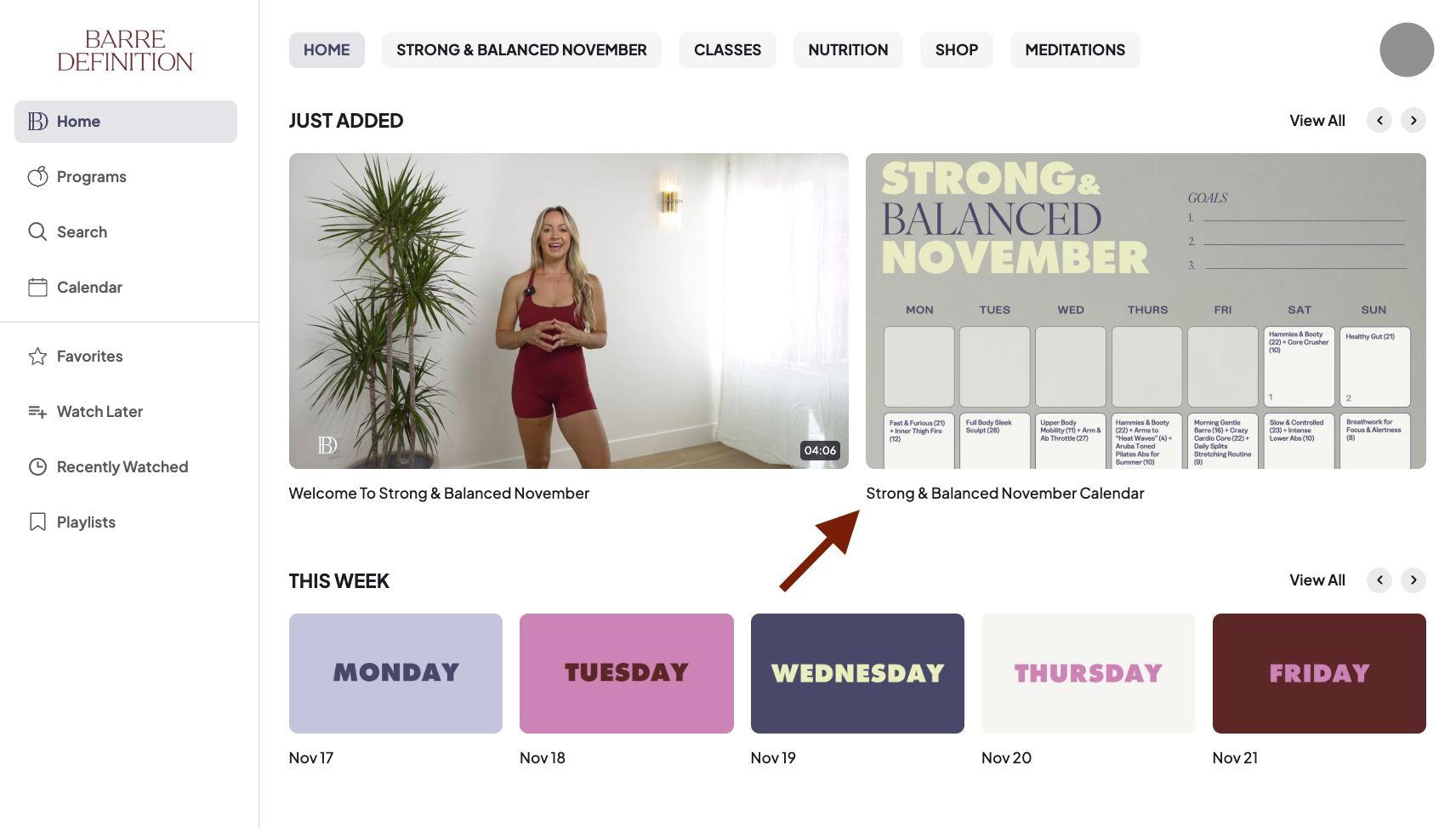
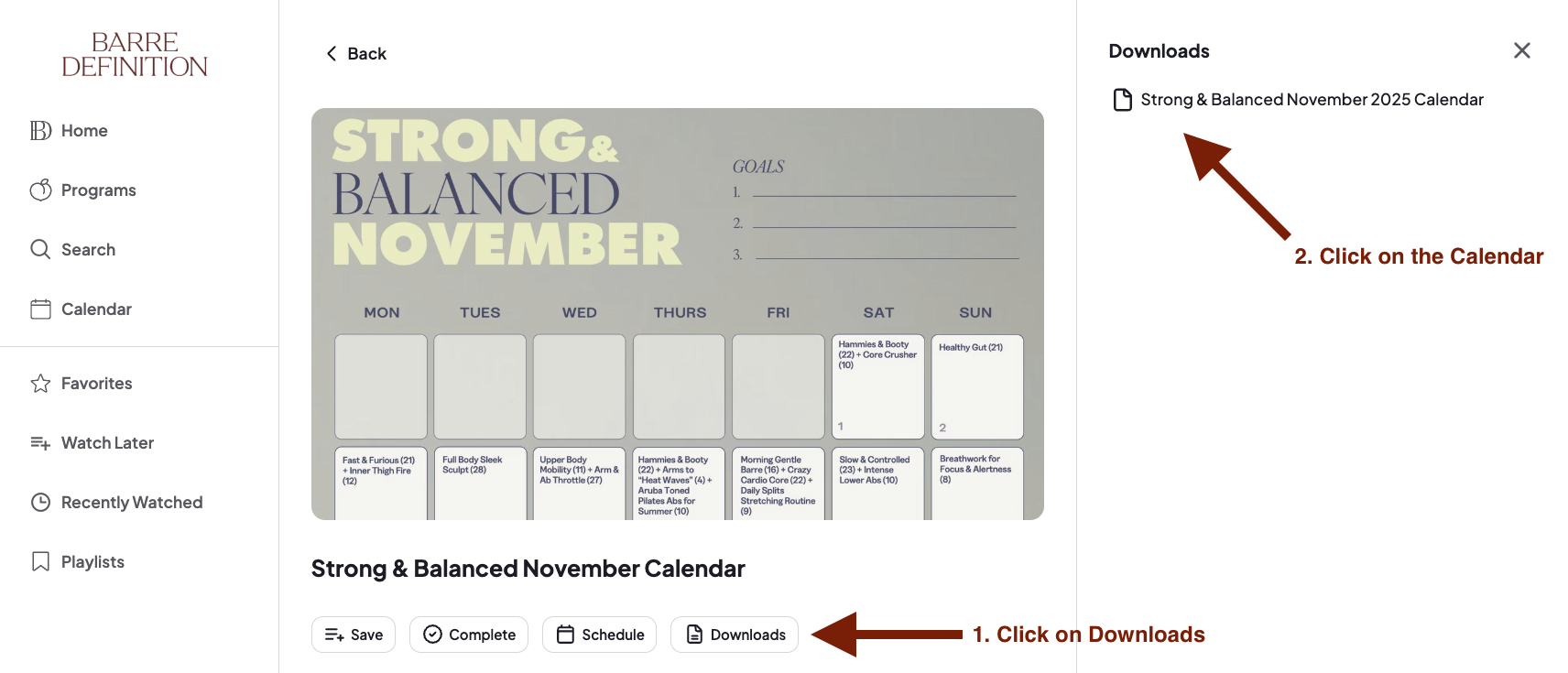
2. Once you're on the page, first click on the Downloads button below the image. Then click on the name of the document on the right side to download to your computer.
Mobile Device
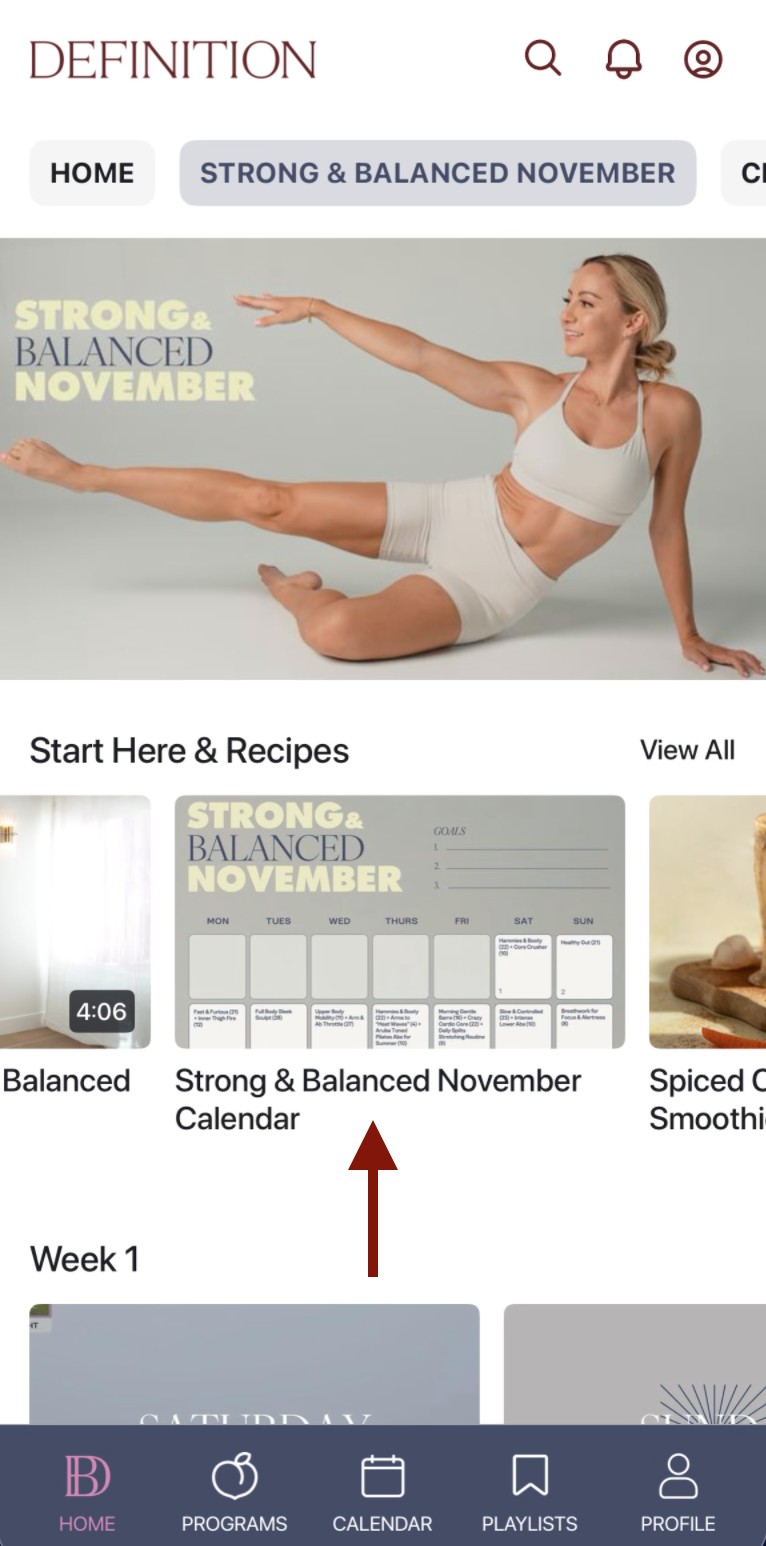
1. On a mobile device such as an iPhone or Android Phone, tap on the item you wish to download.
2. Once you're on the page, click on the Downloads button
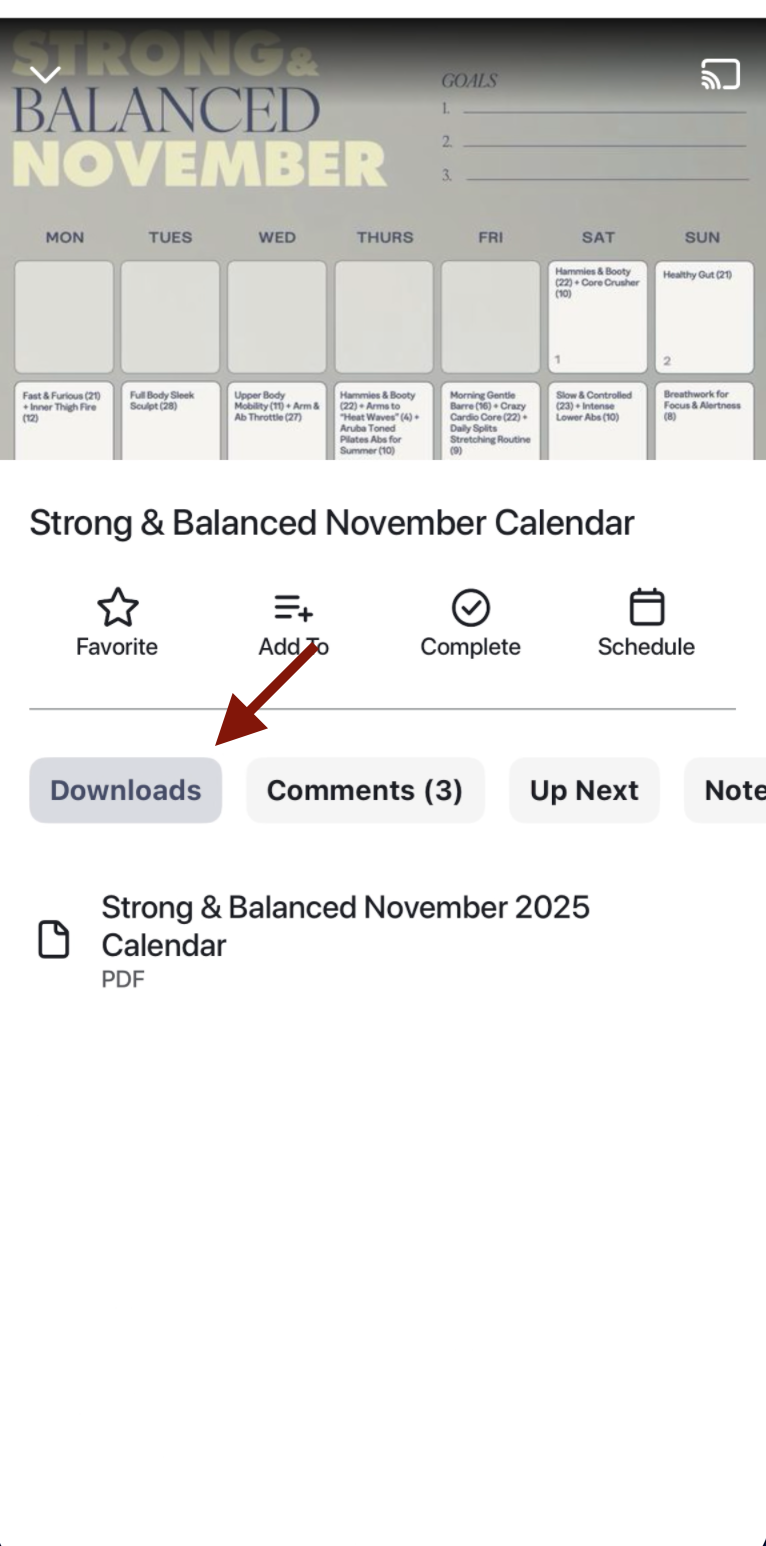
3. Then you can click on the file to view on your device!
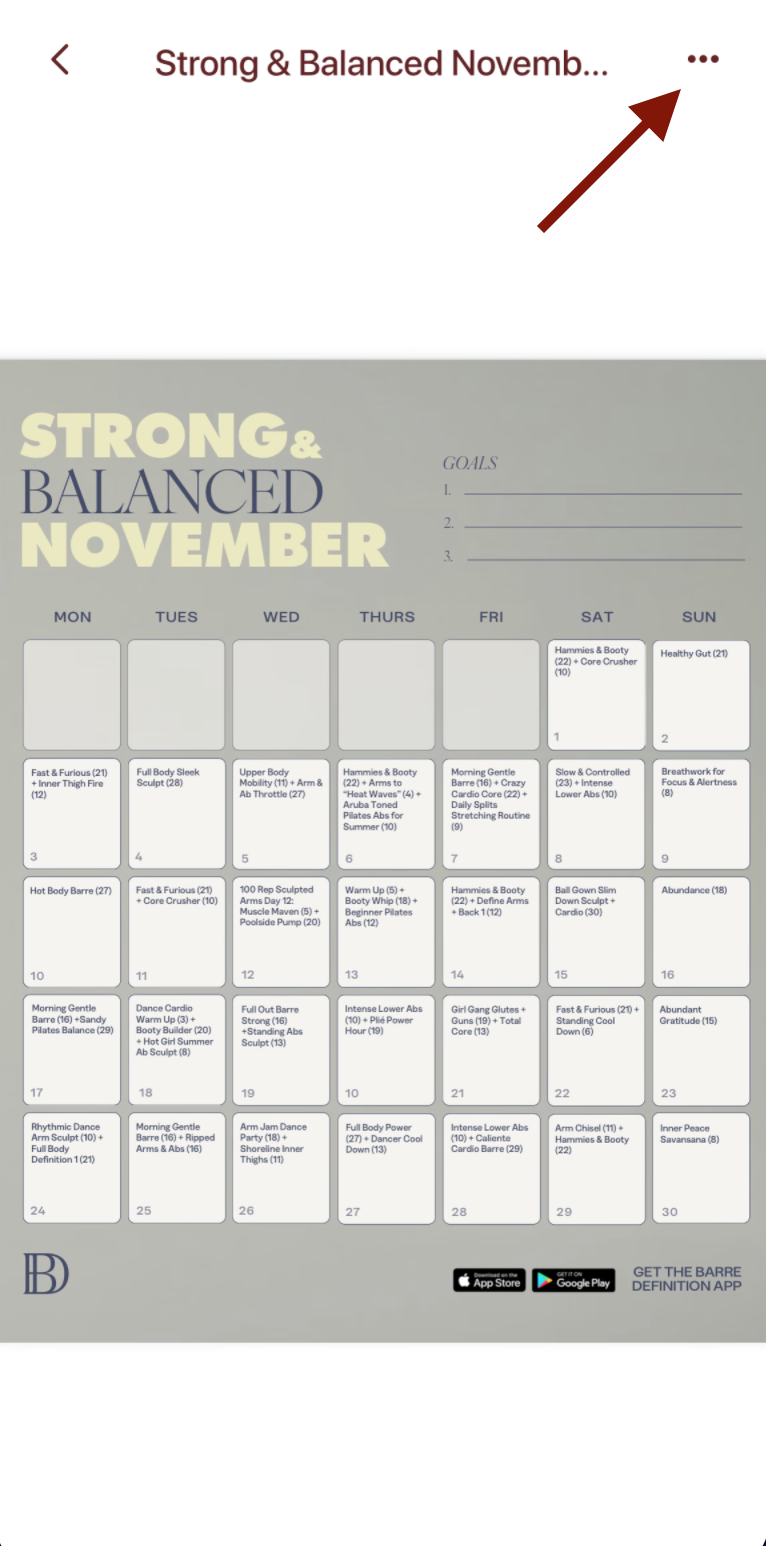
4. The viewing may take a few seconds to download. If you wish you can save a copy to your device using the 3 button ellipse in the upper right corner!
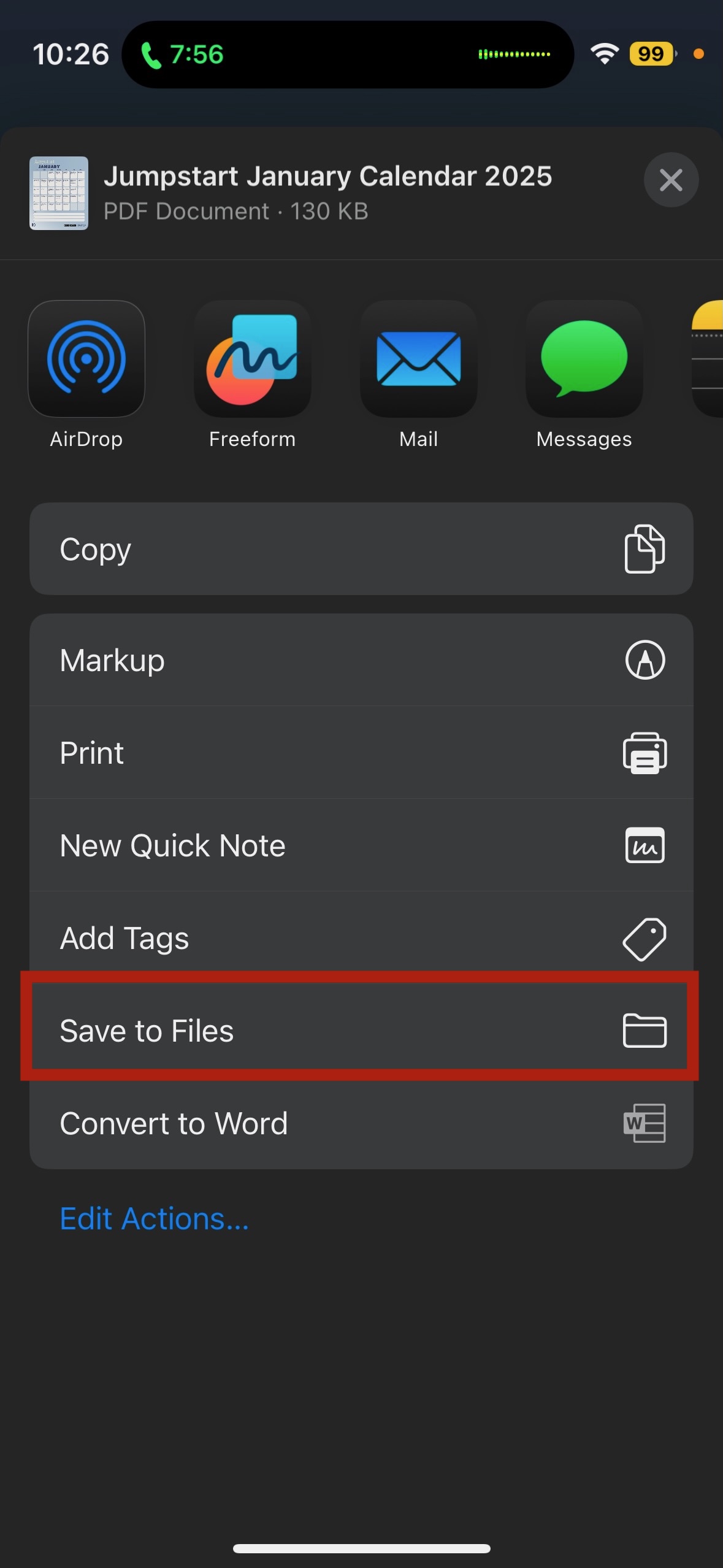
5. Click on ' Save to Files' to save to your device
Tablet Device
1. On a tablet device such as an iPad, tap on the item you wish to download.
2. Once viewing the class, click on the Downloads button.
3. Then click on the file to view on your device.
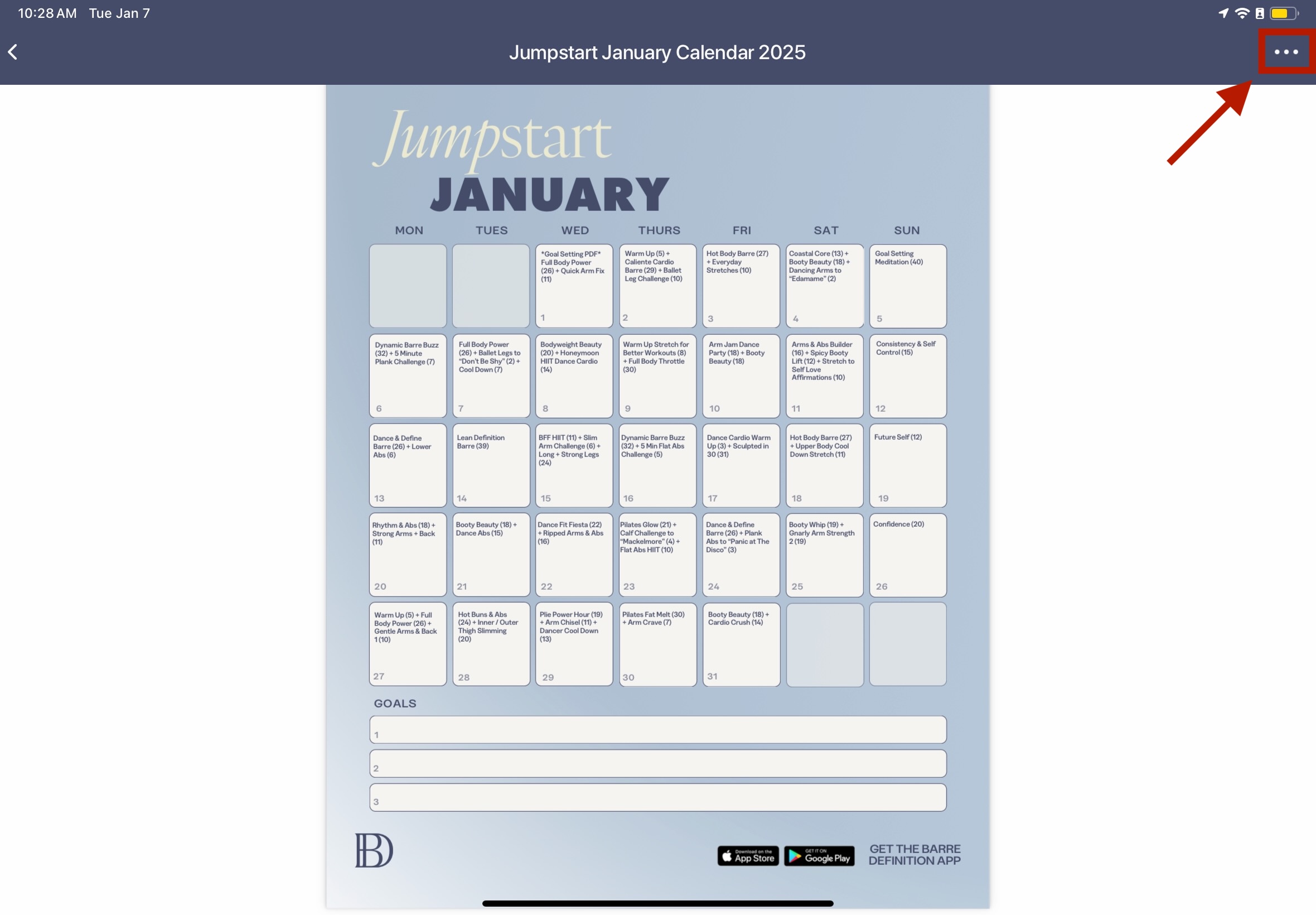
4. The viewing may take a few seconds to download. If you wish you can save a copy to your device using the 3 button ellipse in the upper right corner!
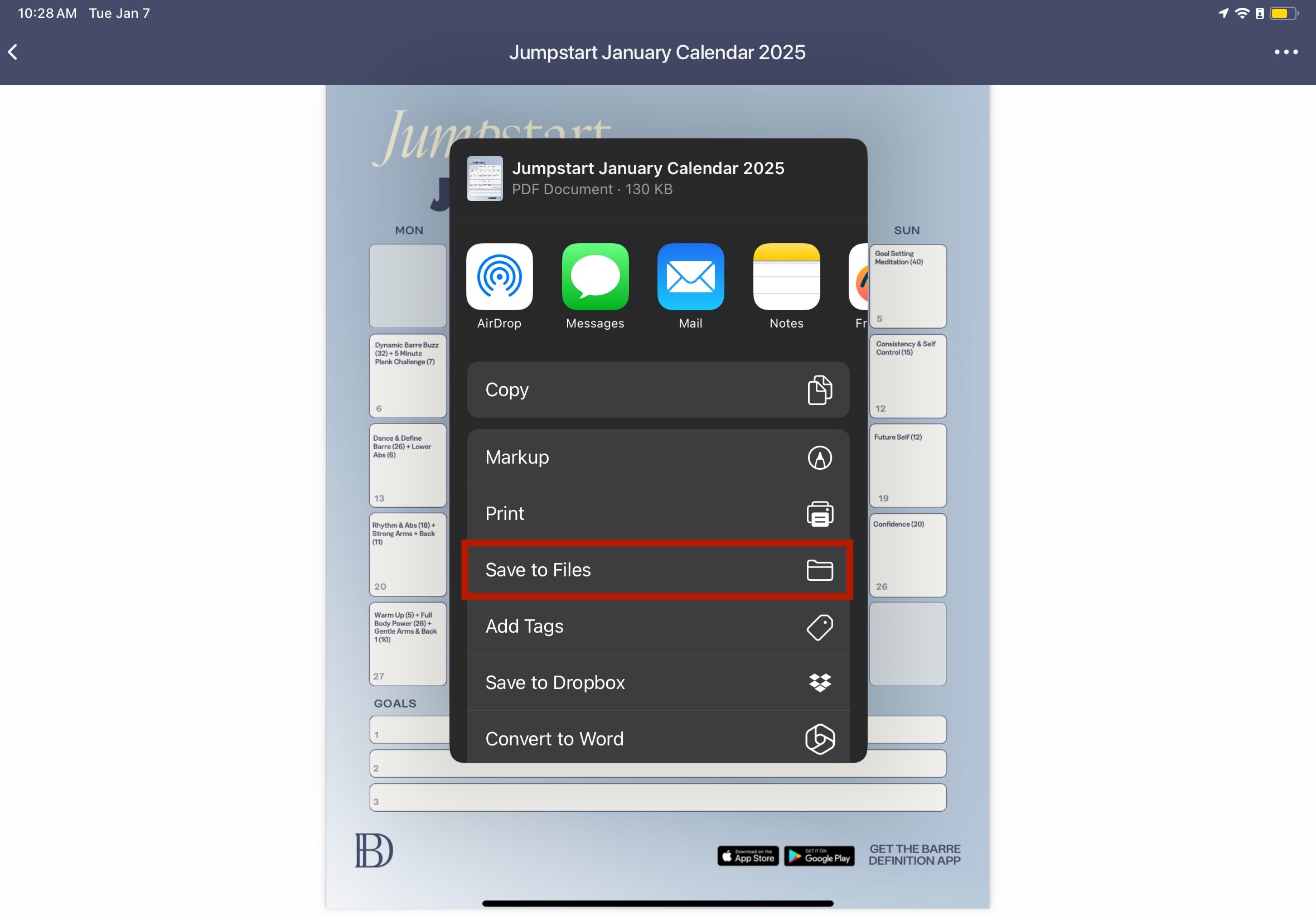
5. Click on ' Save to Files' to save to your device
Need help? Reach out by sending us a message on the Contact Us widget!